If you sell products online, you probably know the routine.
Create your website. Add your products. Upload a product feed. Connect Google Merchant Center. Launch Google Shopping ads. Start getting traffic and sales.
Sounds simple.
But there is one important mistake that can cost you much more than a few missed sales:
Treating Google Merchant Center like just another marketplace or advertising platform where almost any seller can sign up and start selling.
Google Merchant Center is different.
It is a system built around trust, transparency, product data quality, and compliance. Google is not simply asking, “Do you have products to sell?” It is effectively asking:
“Can we trust this business, its website, its products, and the information it provides to users?”
And if the answer is unclear, your products may stop showing—or your Merchant Center account may be suspended.
Google Merchant is not a marketplace
One of the most common misconceptions is comparing Google Merchant Center to platforms such as Amazon, eBay, Etsy, or other marketplaces.
On a marketplace, you usually create a seller account, provide the required information, list your products, and start selling under the marketplace’s rules.
Google Merchant Center works differently.
Google doesn’t become your store.
Instead, it connects Google’s shopping ecosystem with your own website and business.
That means Google expects your website to provide a credible and transparent shopping experience.
Your business identity, contact information, shipping policy, return policy, payment process, product information, pricing, availability, and other details all contribute to whether Google considers your store trustworthy.
Your Merchant Center account is therefore closely connected to the quality and credibility of your entire e-commerce operation.
“But my website is working. Why did Google suspend me?”
This is one of the most frustrating questions we hear.
A website can work perfectly from a technical perspective and still have problems with Google Merchant Center.
The website may load.
The checkout may work.
Products may be available.
Payments may work.
And yet Google can still restrict or suspend the account.
Why?
Because technical functionality is not the same thing as business trustworthiness.
Google evaluates much more than whether a customer can click “Buy.”
For example:
- Is it clear who operates the business?
- Can customers easily contact the company?
- Are shipping conditions clearly explained?
- Is the return/refund policy easy to find?
- Does the information in Merchant Center match the website?
- Are product prices and availability accurate?
- Is the business information consistent?
- Are there misleading claims?
- Does the website provide enough information for customers to make an informed purchase?
These details matter.
Google cares about the entire customer journey
Think about Merchant Center as a chain:
Business → Website → Product → Checkout → Payment → Shipping → Customer → Return/Refund
Google has an interest in the entire chain.
If something looks suspicious or inconsistent at any point, it can affect the trustworthiness of the store.
For example, imagine a company advertising a product for $49.99 in Google Shopping.
The customer clicks the advertisement and lands on a product page showing $59.99.
Or the website says “Free shipping,” but additional shipping costs suddenly appear at checkout.
Or the company sells internationally but provides no clear information about delivery times, returns, or customer support.
From the seller’s perspective, these might seem like small website issues.
From the customer’s perspective, they can be red flags.
And from Google’s perspective, they can become a trust problem.
Merchant Center suspensions can happen for different reasons
There isn’t one single type of Merchant Center problem.
Google can restrict or suspend accounts for different reasons, including issues related to:
- Misrepresentation
- Missing or unclear business information
- Website quality
- Inaccurate product data
- Price or availability discrepancies
- Shipping information
- Return and refund policies
- Payment information
- Unsupported or restricted products
- Technical feed problems
- Business verification
- Suspicious or inconsistent information
One particularly serious issue is misrepresentation.
And this doesn’t necessarily mean that a business is intentionally trying to deceive customers.
Sometimes the problem is simply that the website doesn’t provide enough information or that important details are inconsistent.
That’s why merchants should not wait for a suspension before taking these things seriously.
The biggest mistake: “We’ll fix it if Google complains”
This approach is risky.
A lot of sellers build a website, connect Merchant Center and immediately start running campaigns.
Then, if Google suspends the account, they start looking for solutions.
At that point, they may discover that the problem isn’t one small setting.
The entire website may need to be reviewed.
Business information.
Policies.
Product pages.
Checkout.
Shipping.
Returns.
Payment information.
Feed data.
Domain configuration.
Business verification.
Sometimes even the relationship between multiple Google accounts needs to be examined.
It is much easier to build a trustworthy Merchant Center setup from the beginning than to repair a problematic account later.
Your Merchant Center account is an asset
This is another important mindset change.
Don’t think:
“It’s just a Google account. If something happens, I’ll create another one.”
That can be a very dangerous strategy.
Your Merchant Center account can become an important part of your acquisition infrastructure.
Your product feed, product history, advertising setup, conversion data, website, domain and Google ecosystem can all become interconnected.
Creating new accounts simply to get around a suspension is not a real solution.
If the underlying business or website problems remain, the new account can encounter the same issues.
Instead, you should understand why the problem occurred and fix the root cause.
A serious Merchant Center setup starts before the feed
Many merchants think Merchant Center begins with the product feed.
It doesn’t.
The feed is only one part of the system.
Before uploading thousands of products, you should make sure the foundation is ready.
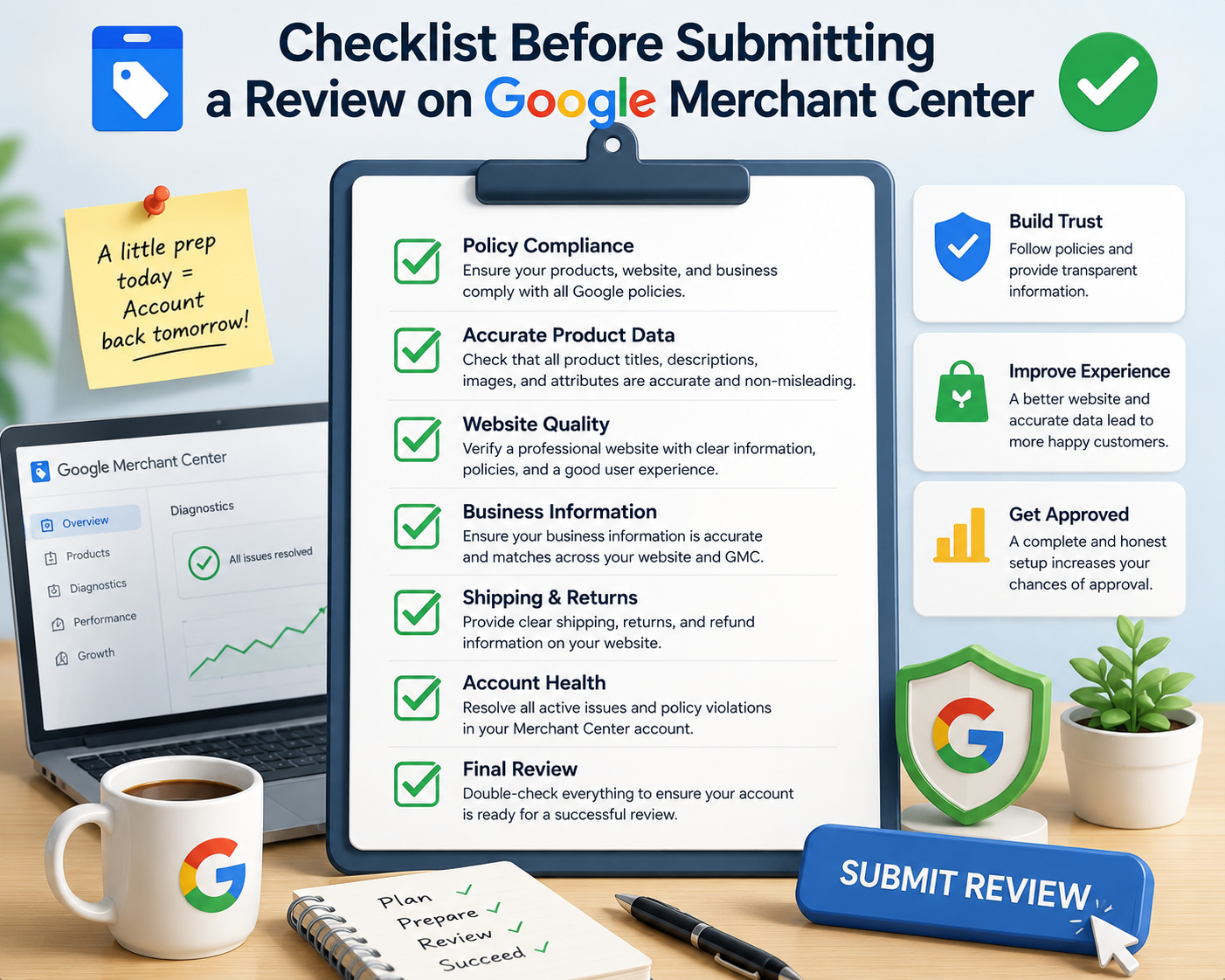
1. Business information
Your website should clearly communicate who is behind the store.
Depending on the business and market, this may include:
- Company name
- Business/contact information
- Contact email
- Phone number
- Physical or registered business information where appropriate
- Clear customer support information
2. Policies
Customers should be able to understand what happens if something goes wrong.
Important policies may include:
- Shipping
- Returns
- Refunds
- Privacy
- Terms and conditions
- Payment information
These shouldn’t be hidden somewhere nobody can find them.
3. Product information
Product data should be accurate and consistent.
Your:
Google feed → Product page → Checkout
should tell the same story.
Price, currency, availability, product name and other important information should not contradict each other.
4. Checkout
The customer should be able to understand what they are buying, how much it costs and what happens after the purchase.
Unexpected costs and confusing checkout processes are not good for either conversion rates or trust.
5. Technical setup
Only after the foundation is ready should you focus heavily on feed optimization.
A technically perfect feed cannot compensate for a website that doesn’t look trustworthy.
Take Merchant Center seriously from day one
If you’re launching a new e-commerce store, don’t make Merchant Center an afterthought.
Don’t wait until after your first suspension.
Don’t assume that because another seller does something a certain way, Google will accept it from you.
Don’t blindly copy another store’s policies.
And don’t assume that a new Merchant Center account will solve a problem with the old one.
Instead, treat Merchant Center as part of your e-commerce infrastructure.
Build the website correctly.
Make your business transparent.
Keep your product data accurate.
Make your policies clear.
Make sure your website and feed tell the same story.
And regularly check that everything remains consistent.
The bottom line
Google Merchant Center isn’t just a place to upload a product feed.
It is a gateway to one of the world’s largest product discovery and advertising ecosystems.
That opportunity comes with responsibility.
If you want Google to trust your store, your store needs to look trustworthy.
At 100roi.click, we help e-commerce businesses work with Google Merchant Center, including account setup, product feeds, troubleshooting and Merchant Center suspension recovery.
If your products aren’t showing, your account has been suspended, or you simply want to make sure your Merchant Center setup is built correctly before investing heavily in Google Shopping, it’s better to identify potential problems early.
Don’t treat Google Merchant Center as just another platform.
Treat it as a critical part of your e-commerce business.